
-
 Landing Pages & Websites
Build high converting pages
-
 Online Courses
Content that captivates and educates
-
 Membership Sites
Give customers a community
-
 Kartra AI
Generate compelling copy instantly
-
 Form Builder
Capture leads & grow your business
-
 Sales Funnel Software
Build every step of your customer journey.





Connect Kartra with the apps you already use.
Use the Kartra Zapier integration to connect Kartra with thousands of apps and automate work across your marketing, sales, reporting, operations, and customer management systems. Kartra helps you build and manage the customer journey, while Zapier helps that journey connect to the other tools your business depends on.
With Kartra and Zapier, you can move lead data, customer activity, purchase details, and workflow updates between apps without relying on manual exports, copy-and-paste tasks, or disconnected systems.
With Kartra and Zapier, you can move lead data, customer activity, purchase details, and workflow updates between apps without relying on manual exports, copy-and-paste tasks, or disconnected systems.

Connect your tools
Reduce manual work
Keep your customer data moving
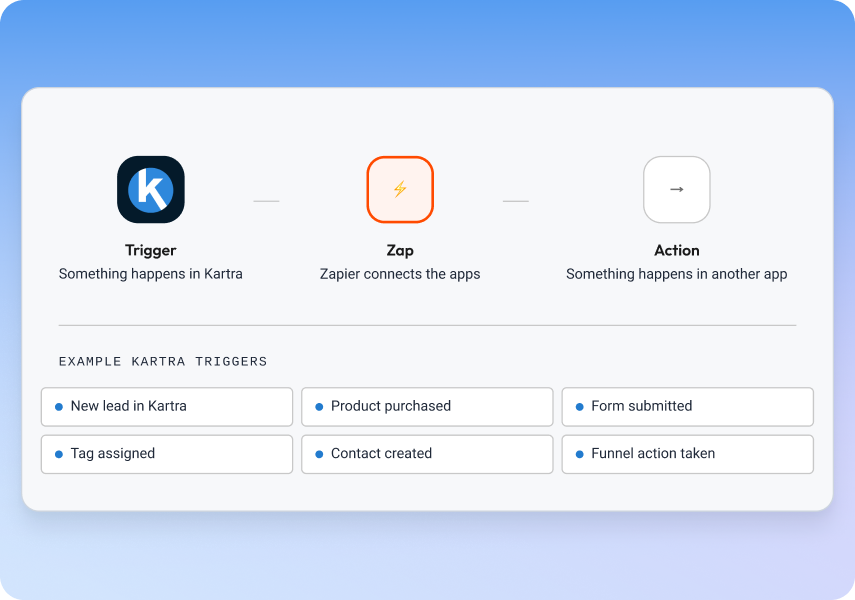
What Is the Kartra – Zapier integration?
The Kartra – Zapier integration lets you create automated workflows between Kartra and other apps. In Zapier, these workflows are called Zaps. A Zap typically starts with a trigger in one app and performs an action in another app.
For example, when a lead fills out a Kartra form, buys a product, or takes an important funnel action, Zapier can help send that information to a CRM, spreadsheet, database, notification tool, reporting dashboard, or team workflow. You can also use Zapier to bring external activity into Kartra, such as creating a lead, assigning a tag, or routing a contact into the right follow-up process.
For example, when a lead fills out a Kartra form, buys a product, or takes an important funnel action, Zapier can help send that information to a CRM, spreadsheet, database, notification tool, reporting dashboard, or team workflow. You can also use Zapier to bring external activity into Kartra, such as creating a lead, assigning a tag, or routing a contact into the right follow-up process.
Why connect Kartra to Zapier?
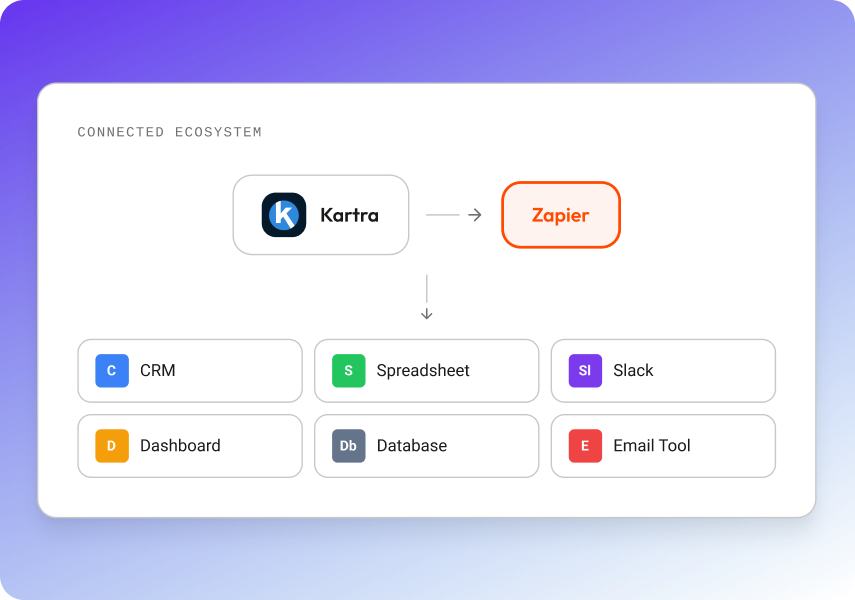
Kartra already includes built-in tools for funnels, landing pages, checkout pages, email automation, memberships, webinars, calendars, affiliates, and analytics. Zapier extends those capabilities by helping Kartra connect with more of your business stack.
When you connect Kartra to Zapier, your marketing and operations can work together more smoothly. New leads can move into the right systems, customers can be logged automatically, internal teams can be notified faster, and funnel activity can support reporting, CRM workflows, onboarding, segmentation, and sales follow-up.
When you connect Kartra to Zapier, your marketing and operations can work together more smoothly. New leads can move into the right systems, customers can be logged automatically, internal teams can be notified faster, and funnel activity can support reporting, CRM workflows, onboarding, segmentation, and sales follow-up.
Automate lead and customer workflows
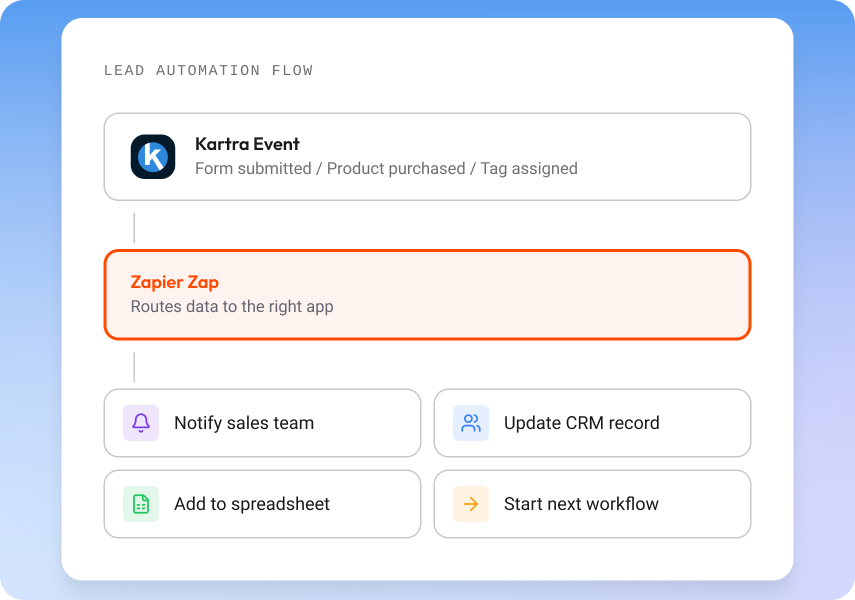
Use Kartra – Zapier workflows to trigger action the moment something important happens. A form submission can notify your sales team, a purchase can create or update a customer record, a new lead can be added to a spreadsheet, and a high-intent customer action can start the next step in your process.
This helps reduce manual data entry and keeps your customer information moving across the tools your team already uses. Instead of exporting CSV files, updating records by hand, or checking multiple apps for updates, you can build automated handoffs that support faster response times and cleaner customer data.
This helps reduce manual data entry and keeps your customer information moving across the tools your team already uses. Instead of exporting CSV files, updating records by hand, or checking multiple apps for updates, you can build automated handoffs that support faster response times and cleaner customer data.
Send data from other apps into Kartra
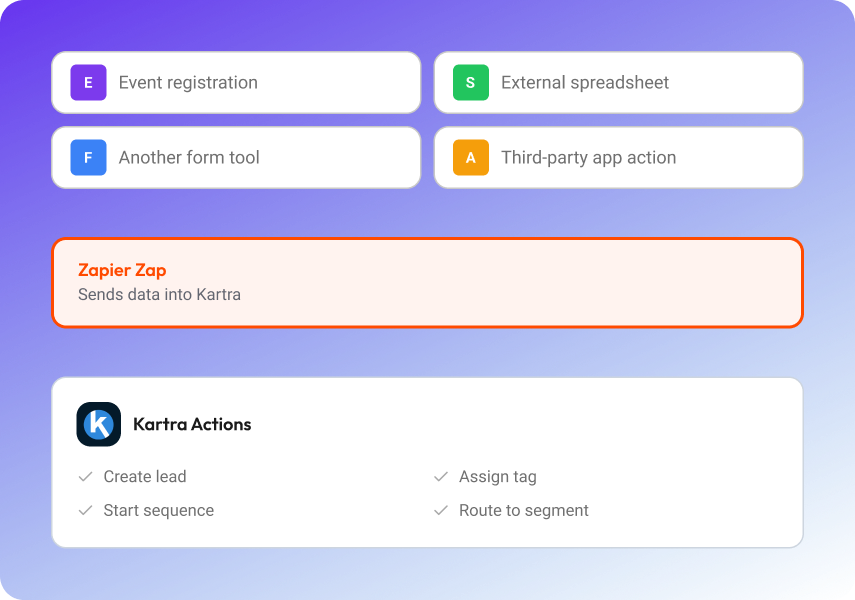
Zapier can also help send data from external tools into Kartra. If a prospect registers through another form, attends an event, appears in a spreadsheet, or takes an action in another app, a Zap can help create or update the lead inside Kartra, assign relevant tags, and support more targeted follow-up.
This is especially useful when your customer journey does not begin in Kartra but still needs to continue through Kartra email automation, funnel segmentation, campaign tracking, or lead management. By connecting Kartra with other apps, you can keep more of your customer data organized in one marketing system.
This is especially useful when your customer journey does not begin in Kartra but still needs to continue through Kartra email automation, funnel segmentation, campaign tracking, or lead management. By connecting Kartra with other apps, you can keep more of your customer data organized in one marketing system.

Build cross-platform customer journeys
Your funnel may start in Kartra, but your business often runs across multiple platforms. A Kartra form fill can alert a sales rep. A Kartra purchase can create a customer record in another tool. A new customer can be added to a dashboard. A lead tag can trigger a workflow outside Kartra. An action in another app can update segmentation inside Kartra.
The result is a more connected customer journey where sales, marketing, operations, and reporting systems can respond to the same customer activity. Kartra gives you the funnel foundation, and Zapier helps extend that activity into the rest of your software ecosystem.
The result is a more connected customer journey where sales, marketing, operations, and reporting systems can respond to the same customer activity. Kartra gives you the funnel foundation, and Zapier helps extend that activity into the rest of your software ecosystem.

Supported use cases
The Kartra – Zapier integration is useful for lead management, sales notifications, CRM workflows, reporting dashboards, customer onboarding, tagging, segmentation, and operations automation. You can use it to move new Kartra leads into external tools, notify teams when someone buys or submits a form, sync funnel data with spreadsheets or dashboards, assign tags from app activity, and create tasks or records based on customer behavior.
For teams that manage multiple systems, Kartra automation plus Zapier workflows can help reduce repetitive work while keeping lead and customer data more accurate across platforms.
For teams that manage multiple systems, Kartra automation plus Zapier workflows can help reduce repetitive work while keeping lead and customer data more accurate across platforms.

Kartra – Zapier integration features
Kartra – Zapier triggers and actions can support app-to-app automation, lead creation, tag assignment, purchase-based workflows, team notifications, and data syncing. These workflows help move form, lead, purchase, and campaign activity between Kartra and the rest of your business tools, so your team can act on customer behavior without manually rebuilding the same process in every app.

Why use Kartra with Zapier?
Kartra gives you an all-in-one platform for building funnels, capturing leads, selling products, automating follow-up, and managing customers. Zapier helps connect Kartra to third party integrations when your business relies on additional apps for CRM management, reporting, task creation, team communication, spreadsheets, databases, or internal operations.
Together, Kartra and Zapier help you automate repetitive tasks, connect marketing and operations, improve visibility across teams, keep lead data organized, and scale customer workflows without adding more manual work.
Together, Kartra and Zapier help you automate repetitive tasks, connect marketing and operations, improve visibility across teams, keep lead data organized, and scale customer workflows without adding more manual work.
Ready to connect Kartra with more apps?
Use Kartra to build your funnel, capture leads, sell products, automate follow-up, and manage customers. Use Zapier to connect that activity to the rest of your business stack.
FAQ’s
Does Kartra integrate with Zapier?
Yes. Kartra supports Zapier as a connector that can help automate workflows between Kartra and many other apps.
What can I automate with Kartra and Zapier?
You can automate lead management, customer updates, tag assignments, purchase workflows, reporting, CRM handoffs, internal notifications, and other app-to-app processes.
What is a Zap?
A Zap is an automated workflow in Zapier. It usually starts when something happens in one app and then performs an action in another app.
Can Zapier create leads in Kartra?
Yes. Zapier workflows can be used to create leads in Kartra depending on your setup and available actions.
Can Zapier assign tags in Kartra?
Yes. Zapier can support workflows that assign tags to Kartra leads, helping you segment contacts and trigger more relevant follow-up.
Do I need a Zapier account?
Yes. You need an active Zapier account to create and manage Zaps between Kartra and other apps.
Is Zapier required to use Kartra?
No. Kartra includes many built-in tools and automations. Zapier is useful when you want to connect Kartra to external apps.