
How to Sell Digital Products Online: A Practical Start-to-Sale Guide

Selling digital products online is not just about uploading a file and adding a payment button.

A digital product sells when a specific person understands the problem it solves, trusts the path you are offering, can buy without confusion, and receives the product without having to chase down access links or instructions.

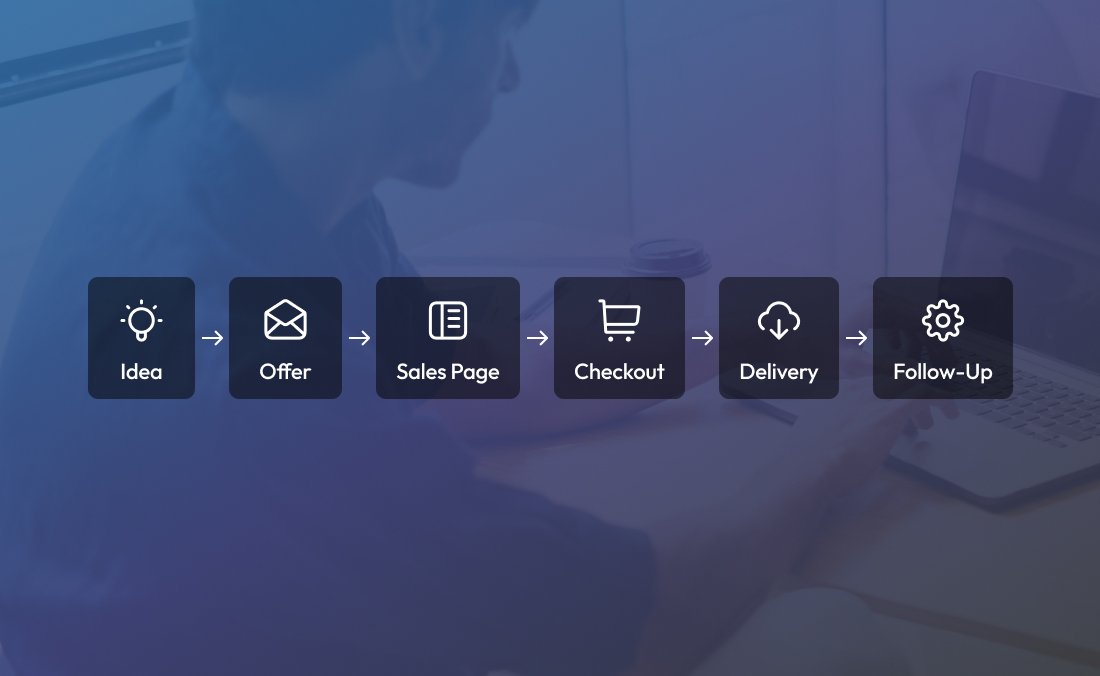
That means the product is only one part of the system. You also need the offer, sales page, checkout, delivery experience, and follow-up to work together.

This guide walks through how to sell digital products online from idea to launch, including how to choose your product type, package the offer, build a sales page, set up checkout, deliver the product, and support buyers after purchase.

What is a digital product?

A digital product is something a customer buys, accesses, and uses online instead of receiving as a physical item. Examples include online courses, templates, ebooks, workshops, memberships, digital downloads, resource libraries, and toolkits.

Digital products are often built from knowledge, creative work, systems, or repeatable processes. A coach might sell a mini-course. A consultant might sell a strategy template. A designer might sell brand kits. A teacher might sell downloadable lesson plans. A fitness expert might sell a 30-day training plan.

For more product examples, Kartra’s guide to Digital Products 101 covers common digital product types and use cases.

The real question is not only “What can I sell?” It is “What problem can I help someone solve in a format they will actually use?”

How to sell digital products online in 10 steps

To sell digital products online, start with a specific customer problem, choose the smallest complete product that solves it, create a clear offer, build a focused sales page, connect checkout and delivery, write follow-up emails, test the buying experience, and improve the product based on real customer behavior.

Here is the full workflow:

  1. Choose one clear buyer problem.
  2. Define the smallest complete transformation.
  3. Pick the right digital product format.
  4. Validate the offer before building everything.
  5. Package the offer clearly.
  6. Build the sales page.
  7. Set up checkout.
  8. Plan product delivery.
  9. Write the post-purchase email sequence.
  10. Launch, test, and improve.

Let’s break each step down.

Step 1: Choose one clear buyer problem

The strongest digital products usually start with a problem, not a format.

Many creators begin by saying, “I want to make a course,” or “I should sell templates.” That can work, but it often leads to a product that feels useful to the creator and vague to the buyer.

Start with the customer instead.

Ask:

  • What is this person trying to do?
  • What keeps slowing them down?
  • What do they keep asking for help with?
  • What have they already tried?
  • What would feel like meaningful progress?
  • What do they need to know, decide, create, or complete?

For example, “I want to sell a marketing course” is too broad for a first digital product.

A clearer version would be:

“I want to help solo consultants create their first lead magnet and follow-up sequence.”

That is easier to package. It is easier to explain. It also gives the buyer a more specific reason to care.

A checkout page cannot fix an unclear offer. If the buyer does not understand the problem, promise, and next step before they reach checkout, the sales process is already working too hard.

Step 2: Define the smallest complete transformation

A digital product does not need to include everything you know. It needs to help the buyer complete one useful outcome.

This is where many first-time digital product sellers overbuild. They try to create a giant course, a massive template bundle, or a full resource library before they have tested whether people want the offer.

A better starting point is the smallest complete transformation.

That means the buyer starts in one clear place and ends in another.

Broad ideaSmaller, clearer digital product
Marketing course3-day lead magnet setup kit
Business templatesClient onboarding template pack
Productivity guideWeekly planning system for consultants
Fitness membership30-day beginner strength plan
Course creation programFirst-module course planning workbook
Sales trainingDiscovery call script and objection guide

A smaller product is not automatically less valuable. If it helps the buyer solve a real problem faster, it can be easier to understand and easier to use.

The goal is not to shrink the value. The goal is to remove the extra material that distracts from the result.

Step 3: Pick the right digital product format

Once you know the problem and outcome, choose the product format that fits the job.

The format is just the container. The buyer cares about the result.

Framework for choosing the right digital product format

Online course

Use an online course when the buyer needs a structured learning path. Courses work well when the topic has steps, examples, concepts, and mistakes to avoid.

A course may be a good fit for:

  • Teaching a repeatable process
  • Helping someone build a skill
  • Walking buyers through a sequence of decisions
  • Turning expertise into a guided learning experience

Template or swipe file

Use a template when the buyer already understands the task but wants a faster starting point.

Templates work well for:

  • Emails
  • Scripts
  • Trackers
  • Spreadsheets
  • Project plans
  • Sales assets
  • Client documents
  • Design layouts

A template is strongest when it saves the buyer from staring at a blank page.

Ebook or guide

Use an ebook or digital guide when the buyer needs explanation, perspective, or a decision framework.

This format can work well when the reader wants to learn at their own pace or understand a topic before taking action.

Workshop or replay

Use a workshop when the problem is focused and timely.

A workshop can be a strong first product because it lets you teach live, answer questions, and later turn the recording or materials into a digital product.

Membership or resource library

Use a membership when the value is ongoing.

This can work well when buyers need recurring resources, community, accountability, updates, or a structured content library. A membership should be designed around progress, not just content storage.

Toolkit

Use a toolkit when the buyer needs multiple assets to complete one workflow.

A toolkit might include:

  • A short guide
  • Templates
  • Checklists
  • Examples
  • Setup instructions
  • A short video walkthrough

Toolkits are useful when the buyer does not need a full course but does need more than one file.

If your first digital product will be a course, workshop, or structured learning offer, click here to download Kartra’s free Sell What You Know guide and map your expertise into a course your audience can follow.

Step 4: Validate the offer before building everything

Validation helps you avoid spending weeks or months building a product people do not understand or want.

You do not need a complicated research process. You need enough feedback to confirm that the problem is real, the outcome matters, and the offer language makes sense to the intended buyer.

Ways to validate a digital product idea include:

  • Ask past clients what they struggled with before working with you.
  • Share the product idea with your email list and ask who wants it.
  • Offer a beta version to a small group.
  • Run a live workshop before creating the full product.
  • Create a waitlist page.
  • Publish educational content on the same topic and watch for replies.
  • Pre-sell the product before building every asset.
  • Ask your audience to choose between two product ideas.

Pay attention to the language people use.

If several people say, “I know I need a lead magnet, but I don’t know what it should be,” that phrase may be stronger than your polished version of the problem.

Good sales copy often comes from real buyer language, not brainstorming alone.

Step 5: Package the offer clearly

Your offer is the buying decision. Your product is the delivery.

Before building the full product, define what the buyer is actually saying yes to.

A clear digital product offer should answer:

  • Who is this for?
  • What problem does it solve?
  • What outcome does it help create?
  • What is included?
  • How does the buyer access it?
  • How long will it take to use?
  • Is support included?
  • Are there requirements before starting?
  • What is not included?

That last question matters.

If your product is for business owners who already have an email list, say that. If it is designed for beginners, say that. If the buyer needs a specific tool, account, or skill level, make that clear before purchase.

Clear boundaries do not weaken the offer. They help the right customer recognize it faster.

Step 6: Build a focused sales page

A sales page should help the right person decide whether the product is for them.

It does not need to explain everything you know about the topic. It needs to answer the buyer’s next questions in a logical order.

Sales page structure for a digital product offer

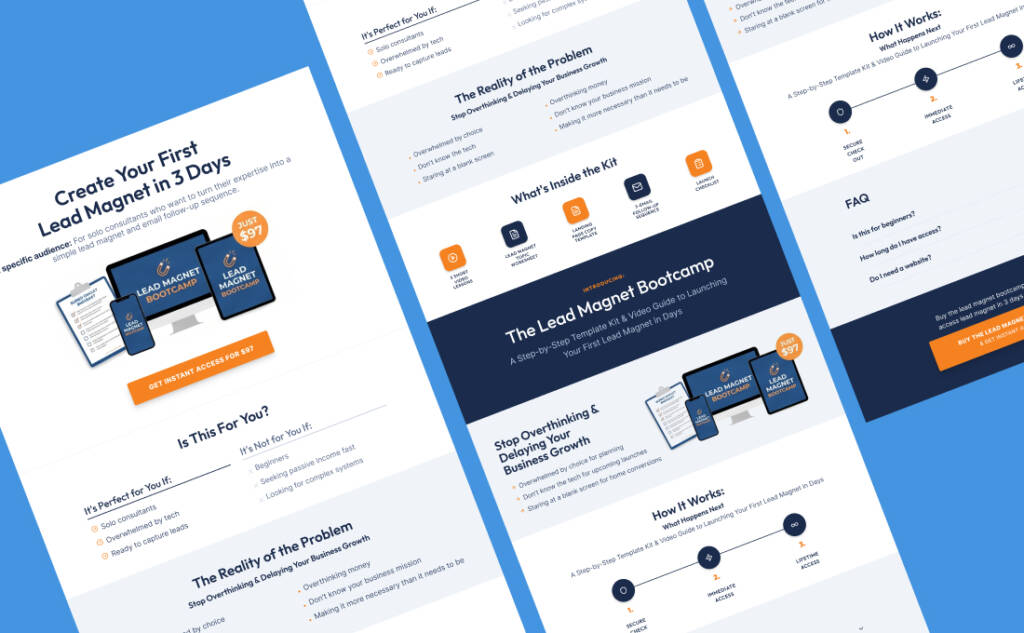
A simple digital product sales page can include:

A clear headline

The headline should tell the buyer what the product helps them do.

Example:

“Create Your First Lead Magnet in 3 Days”

That is clearer than:

“Build a Better Marketing System”

A specific audience

Say who the product is for.

Example:

“For solo consultants who want to turn their expertise into a simple lead magnet and email follow-up sequence.”

This helps the right reader lean in and the wrong reader move on.

The problem

Describe the situation the buyer recognizes.

Maybe they know they need a lead magnet but keep overthinking the topic. Maybe they have a course idea but do not know how to structure it. Maybe they want to sell templates but do not know what should be included.

Use practical, concrete language. Avoid making the problem sound more dramatic than it is.

The product

Explain what they are buying.

Is it a course? Template? Workshop? Toolkit? Membership? Download? Make the format obvious.

What is included

List the core contents. Keep this section useful, not inflated.

For example:

  • 5 short video lessons
  • Lead magnet topic worksheet
  • Landing page copy template
  • 3-email follow-up sequence
  • Launch checklist

How it works

Tell the buyer what happens after purchase.

This is especially important for digital products because the buyer wants to know whether access is immediate, where the product lives, and what to do first.

FAQ

Use the FAQ section to answer real objections.

Good FAQ questions might include:

  • Is this for beginners?
  • How long do I get access?
  • Do I need a website?
  • Is this a course or a template?
  • What happens after I buy?
  • Can I use this if I already have an audience?

CTA

End with a clear next step.

Do not crowd the page with multiple competing actions. If the goal is purchase, make the purchase action obvious.

If you are building this workflow in Kartra, the sales page can connect with the broader customer journey, including landing pages, checkout, and follow-up. Kartra’s landing page builder is relevant for sales pages, opt-in pages, and related page workflows.

Step 7: Set up checkout with clear terms

Checkout is where the buyer confirms the decision. It should reduce friction, not introduce new questions.

Before launching, review the checkout experience carefully.

Checklist for selling digital products online

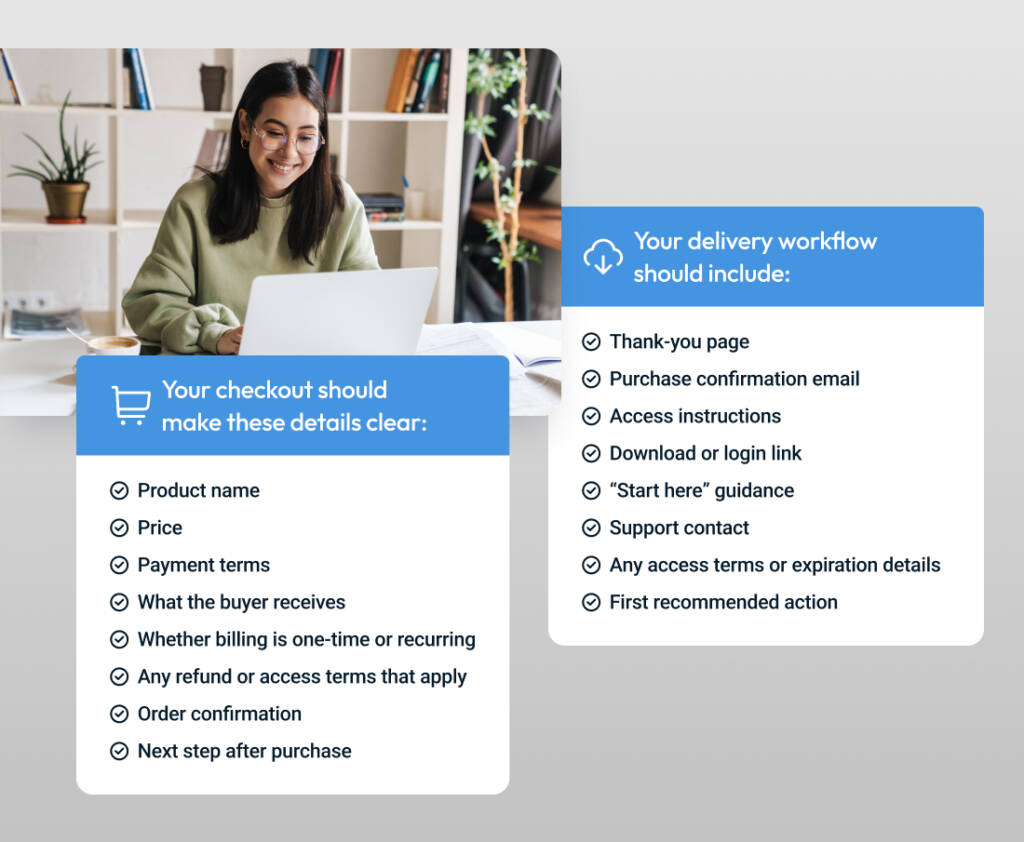
Your checkout should make these details clear:

  • Product name
  • Price
  • Payment terms
  • What the buyer receives
  • Whether billing is one-time or recurring
  • Any refund or access terms that apply
  • Order confirmation
  • Next step after purchase

The checkout page should match the promise made on the sales page. If the sales page says “Client Onboarding Template Pack,” the checkout should not use a vague internal name like “Product 004.”

That kind of mismatch can make buyers pause.

Kartra’s shopping cart software is a natural fit for this part of the workflow when a digital product needs a checkout process connected to the sales path and post-purchase steps.

Step 8: Plan the delivery experience before launch

Delivery is part of the customer experience.

A buyer should not have to wonder where the product is, whether the payment worked, or what to do first.

Your delivery workflow should include:

  • Thank-you page
  • Purchase confirmation email
  • Access instructions
  • Download or login link
  • “Start here” guidance
  • Support contact
  • Any access terms or expiration details
  • First recommended action

For a simple download, the delivery path might be a thank-you page with a download button plus a confirmation email.

For a course or membership, the delivery path may include a login area, welcome lesson, content categories, progress path, and onboarding emails.

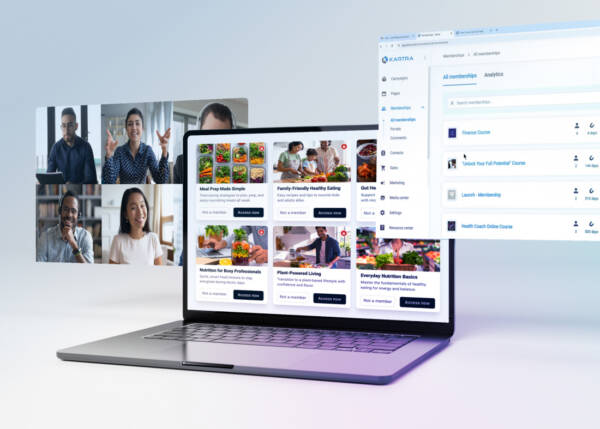
If your digital product includes protected content, a course area, or a resource library, Kartra’s membership site software can support that kind of delivery experience.

Do not make delivery more complex than the product requires. A one-page template does not need a full course portal. A multi-module course probably does need more structure than a single download link.

Match the delivery experience to the product promise.

Step 9: Write post-purchase emails

Post-purchase emails help the buyer use what they bought.

They also reduce avoidable confusion.

A simple email sequence might include:

Email 1: Access and orientation

Send this immediately after purchase.

Include:

  • Thank-you message
  • Product access link
  • Login or download instructions
  • First recommended step
  • Support contact

Email 2: Quick-start guidance

Send this one day later.

Help the buyer avoid the most common starting mistake. For a course, this might be “watch the orientation lesson first.” For a template, it might be “duplicate the original file before editing.”

Email 3: Progress prompt

Send this a few days later.

Remind the buyer what to complete first and point them back to the product.

Email 4: Next-step recommendation

Send this only when it is genuinely useful.

The next step might be another product, a consultation, a membership, or a free resource. Keep it relevant to what the buyer just purchased.

Kartra’s email marketing automation software may be useful when the product workflow needs email follow-up, segmentation, timing, and post-purchase communication in one connected path.

Automation works best when the customer journey is already clear. If the offer, audience, or follow-up logic is vague, automation can make the workflow harder to diagnose.

Step 10: Launch with a simple sales path

Your first digital product launch does not need to be complicated.

A simple launch path can look like this:

  1. Publish helpful content related to the product problem.
  2. Offer a relevant lead magnet or waitlist.
  3. Send a short email sequence that teaches and builds trust.
  4. Invite readers to the sales page.
  5. Send buyers through checkout.
  6. Deliver the product.
  7. Follow up after purchase.
  8. Review questions, replies, and buyer behavior.
  9. Improve the offer, sales page, and product.

A common mistake is adding too much too soon.

Upsells, order bumps, affiliates, countdowns, and complex automations can be useful in the right context. But they can also hide the real issue: the core offer is not clear yet.

Start with the clean path. Add complexity only when you know what it is supposed to improve.

How to price a digital product

Digital product pricing depends on the problem, outcome, buyer, product format, support level, and role of the product in your business.

Avoid pricing only by length.

A short template that saves a buyer hours of work may be more useful than a long guide they never finish. A focused workshop that helps someone complete a task may be more valuable than a large course with too many modules.

Consider:

  • How urgent is the problem?
  • How specific is the outcome?
  • How much time does the product save?
  • How much support is included?
  • Is this a starter offer or core offer?
  • Does the buyer need a fast result or a deeper learning path?
  • Will this product lead naturally to another offer?

Also avoid assuming that cheaper is always easier to sell.

A low-priced product still needs a clear promise. A higher-priced product usually needs more trust, more explanation, stronger proof, and a more complete delivery experience.

The price should make sense for the buyer, the outcome, and the product’s role in your overall business model.

What tools do you need to sell digital products online?

To sell digital products online, you usually need a way to build a page, collect leads, process payment, deliver the product, send emails, and support customers after purchase.

The simplest version may include:

  • A landing page or sales page
  • Checkout
  • Payment processor
  • Email marketing tool
  • Product delivery system
  • Customer support process
  • Analytics or tracking

Some sellers use separate tools for each step. Others prefer a connected platform where pages, checkout, email follow-up, and delivery can be managed together.

Kartra can be useful when the same customer journey needs to connect lead capture, sales pages, checkout, email sequences, content delivery, and follow-up inside one workflow.

Before choosing tools, map the journey first.

Ask:

  • Where does the buyer first hear about the product?
  • What page do they visit?
  • What action do they take?
  • What email do they receive?
  • Where do they buy?
  • What happens immediately after purchase?
  • How do they access the product?
  • What follow-up do they receive?
  • Where do they go for help?

The tool should support that journey. It should not force you to build a more complicated funnel than you need.

Digital product checkout checklist

Before you send traffic to your sales page, test the full buying experience from beginning to end.

Use this checklist:

  • Sales page CTA works.
  • Checkout opens correctly.
  • Product name is clear.
  • Price and payment terms are accurate.
  • Purchase confirmation appears.
  • Thank-you page loads.
  • Confirmation email sends.
  • Access link works.
  • Download, course, or membership access works.
  • Mobile checkout experience is usable.
  • Support contact is visible.
  • Follow-up sequence starts correctly.
  • Any tags, lists, or automations behave as intended.

Do this test as if you were the customer.

A small broken step can create support requests, refunds, or confusion that could have been avoided before launch.

Common mistakes when selling digital products online

Building the product before clarifying the offer

A detailed product is not the same as a clear offer.

Clarify the buyer, problem, promise, format, and delivery path before building every lesson or download.

Making the first product too large

A large product can be harder to finish, harder to sell, and harder for buyers to use.

Start with the smallest complete transformation. You can always expand later.

Courses, templates, ebooks, workshops, and memberships can all work. The right choice depends on the buyer’s problem and how they want to solve it.

Treating checkout as the end of the funnel

Checkout is not the end. It is the beginning of delivery.

The thank-you page, access email, onboarding, and support experience all shape how the buyer feels after purchase.

Adding automation before the journey is clear

Automation should reduce repeated decisions. It should not cover up an unclear strategy.

Write the customer journey first. Then automate the parts that are repetitive and useful.

Ignoring post-purchase support

Even simple products need clear support expectations.

Tell buyers where to go if they cannot access the product, have a billing question, or need help finding the first step.

A simple example: turning expertise into a digital product

Imagine a consultant who helps service providers improve client onboarding.

A broad product idea might be:

“Client experience course.”

That is too vague.

A stronger first digital product might be:

“Client Onboarding Kit for Solo Consultants.”

The product could include:

  • Welcome email template
  • Client intake form
  • Project kickoff checklist
  • Boundary-setting script
  • Timeline template
  • Short setup guide

The sales page promise could be:

“Set up a cleaner client onboarding process before your next project starts.”

The checkout is simple. The thank-you page gives immediate access. The first email tells the buyer which file to open first. The follow-up email explains how to customize the templates for their next client.

That is a complete digital product workflow. It is focused, useful, and easier to improve after real buyers use it.

How Kartra fits into selling digital products online

Selling digital products often requires more than one tool: a landing page, sales page, checkout, email follow-up, delivery area, and support process.

Kartra is most relevant when those pieces need to work together.

For example, a creator might use Kartra to create an opt-in page for a lead magnet, tag new leads, send a nurture sequence, route subscribers to a sales page, process payment through checkout, deliver a course or resource area, and send post-purchase emails.

That does not mean every digital product seller needs the same setup. A simple download may need a lighter workflow. A course, membership, or multi-step funnel may need more structure.

The best approach is to map the customer journey first. Then decide which tools should support it.

Want to turn what you know into a structured online course? Click here to get Kartra’s free Sell What You Know guide and outline the product before you build the full offer.

FAQ: How to sell digital products online

What is the easiest digital product to sell online?

The easiest digital product to sell is usually one that solves a specific problem for a specific audience. Templates, checklists, mini-courses, workshops, and short guides are often easier to build than large programs because they focus on one clear outcome.

How do I start selling digital products online?

Start by choosing a buyer problem you understand well. Then define the product outcome, choose a format, validate the idea, create a sales page, set up checkout, deliver the product, and write follow-up emails that help buyers use what they purchased.

Do I need a website to sell digital products?

You need a place where buyers can understand the offer and purchase the product. That may be a website, landing page, sales page, or funnel. The important part is that the page clearly explains the product, who it is for, what is included, and what happens after purchase.

What types of digital products can I sell?

You can sell online courses, templates, ebooks, guides, workshops, memberships, toolkits, digital planners, resource libraries, audio programs, and paid downloads. The best format depends on the problem your buyer wants to solve.

How do I deliver a digital product after purchase?

You can deliver a digital product through a download link, confirmation email, protected page, membership site, course area, or resource library. The buyer should receive clear access instructions immediately after purchase.

How should I price my digital product?

Price your digital product based on the problem it solves, the outcome it helps create, the buyer’s urgency, the amount of support included, and the role the product plays in your business. Avoid pricing only by file length, number of lessons, or how long it took you to create.

Can I sell digital products with Kartra?

Yes. Kartra can support digital product workflows that include landing pages, sales pages, checkout, email follow-up, automation, and content delivery. It may be a strong fit when you want the buying and delivery experience connected in one customer journey.

Conclusion

Selling digital products online works best when the entire path is clear.

Start with one buyer problem. Create the smallest complete product that helps solve it. Build a focused sales page. Make checkout simple. Deliver the product clearly. Follow up after purchase. Then improve based on what buyers ask, use, and need next.

The product matters, but the workflow around the product matters too.

When the offer, page, checkout, delivery, and follow-up all support the same promise, the buying experience feels easier for the customer and easier for you to manage.